
Support 770
Target 30 s
No one free
Waiting3
Longest wait1:14Slow
Service level64%Watch
1 free1 on a call0 on break1 out
- Answered today
- 58
- Abandoned
- 9
- Average wait
- 0:20
- Callbacks
- 1
A wallboard that turns red the moment callers wait and nobody is free. Callbacks that keep every caller's place in line. Whisper, wrap-up codes, listen and barge. All of it runs in the portal your team already has.

Press the buttons. Send callers to a queue, put an agent on break, and watch the longest wait and the service level change color by the same rules as the real wallboard.
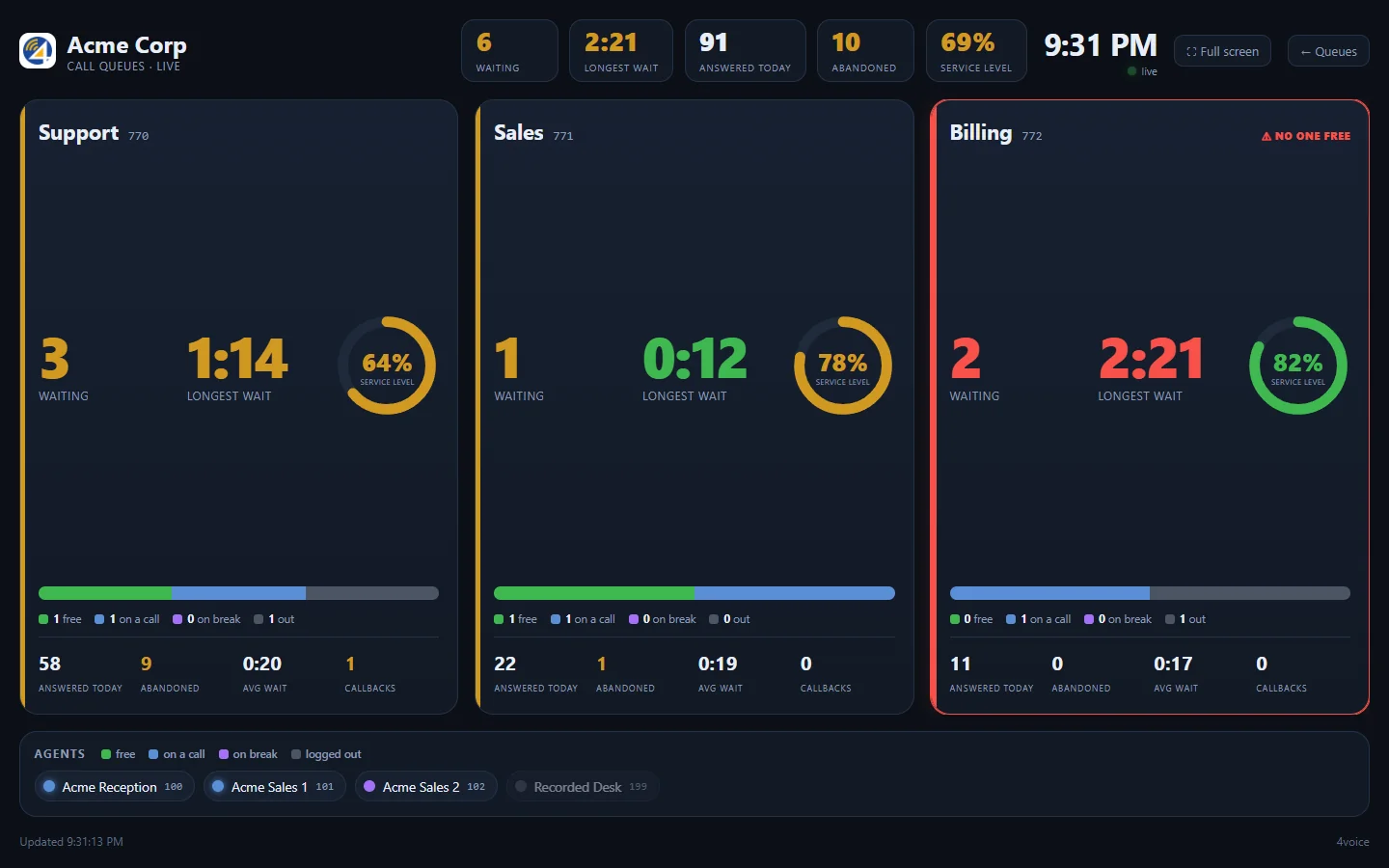
A wallboard for three queues: Support, Sales and Billing. Each queue shows callers waiting, the longest wait, the service level, how many agents are free, on a call, on break or out, and today's answered, abandoned, average wait and callback counts. The longest wait is green up to the queue's target, amber up to three times the target and red beyond, and the words On target, Slow or Late say the same. Service level is green from 80 percent, amber from 60 and red below. A queue with callers waiting and nobody free is flagged No one free. Buttons add callers to a queue or put an agent on break, and each agent can be pressed to change their status.
Acme CorpCall queues, live
2:31 PMUpdated
Target 30 s
No one free
1 free1 on a call0 on break1 out
Target 20 s
No one free
1 free2 on a call0 on break0 out
Target 45 s
No one free
0 free2 on a call0 on break1 out
Agentsfreeon a callon breaklogged out
Add callers
Agents
Board
Agent hears“Call from Support”, then the caller is put through.
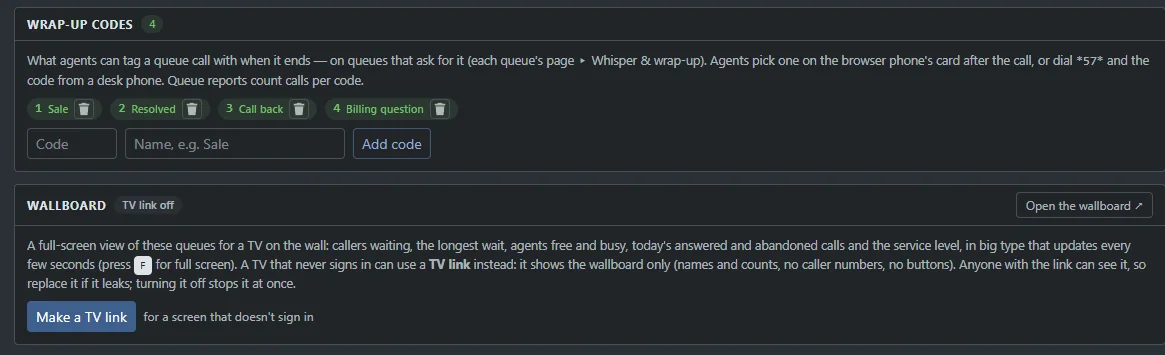
Make a TV link and any screen shows the wallboard with no sign-in. It shows names and counts only. Press F for full screen.
Wait is green up to the queue's target, amber to three times the target, red beyond. Service level follows your target too.
Free, on a call, on break or logged out, per queue, with today's answered, abandoned, average wait and callbacks.
The agent idle longest, everyone at once, the one with the fewest calls. Add escalation levels and a second wave of agents joins after a wait you set.
Longest idle. The agent who has gone longest without a call rings first. Work stays even, and nobody sits idle while someone else is flat out.
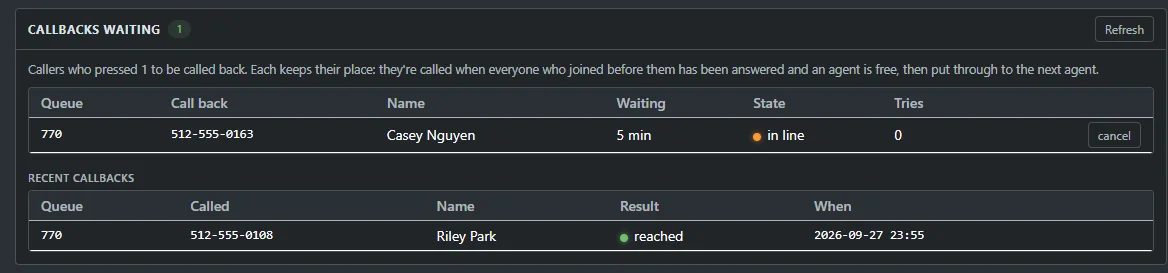
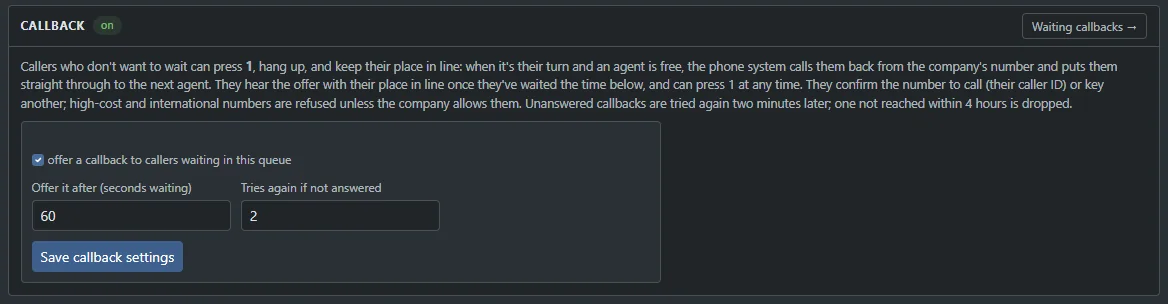
Nobody likes hold music. A caller presses 1 and hangs up. When it is their turn and an agent is free, the system calls them back from your company number and puts them straight through.
Ringing
Acme Support is calling you back
(555) 000-1888, next agent, straight through
Know which line is ringing. Tag the outcome. Ask the caller how it went. Each one takes seconds, and every one lands in your reports.
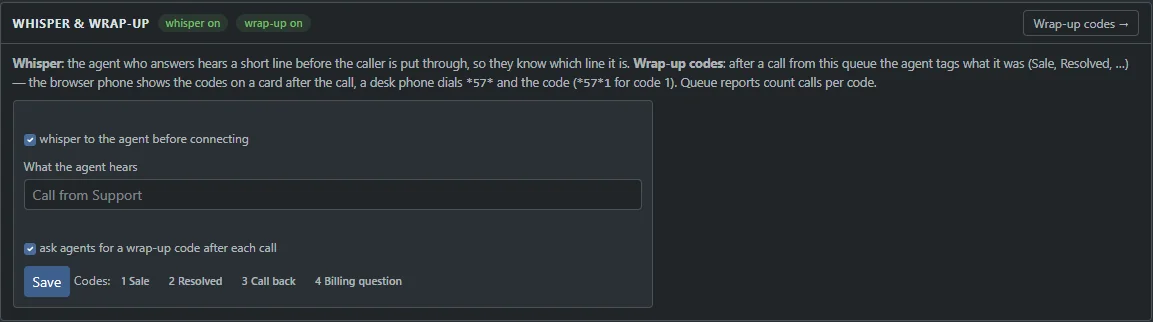
Before the caller is put through, the agent hears “Call from Billing”, or words you choose per queue. The greeting always fits the line.
Live demoThen the caller is connected.
From the browser phone, the app, or *57* and a code within 30 minutes of the call. Queue reports count every code, and a CSV carries them out.
Tagged Sale. From a desk phone: *57*1
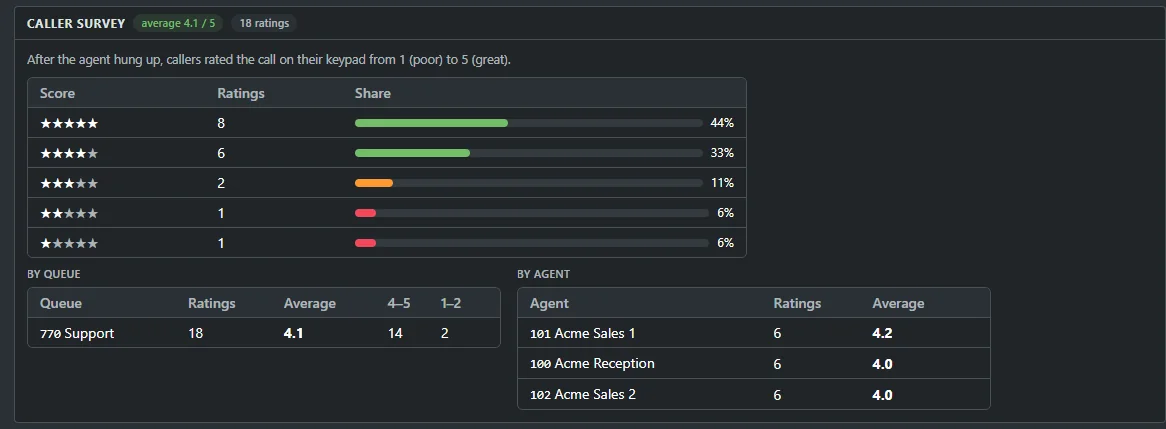
The caller stays on after the agent hangs up and rates the call from 1 to 5 on the keypad. Averages by queue and by agent land in reports, and today's score sits on the wallboard.
Live demoAfter your call, please rate it from 1 to 5.
Caller pressed 4. It counts toward the queue and agent averages.
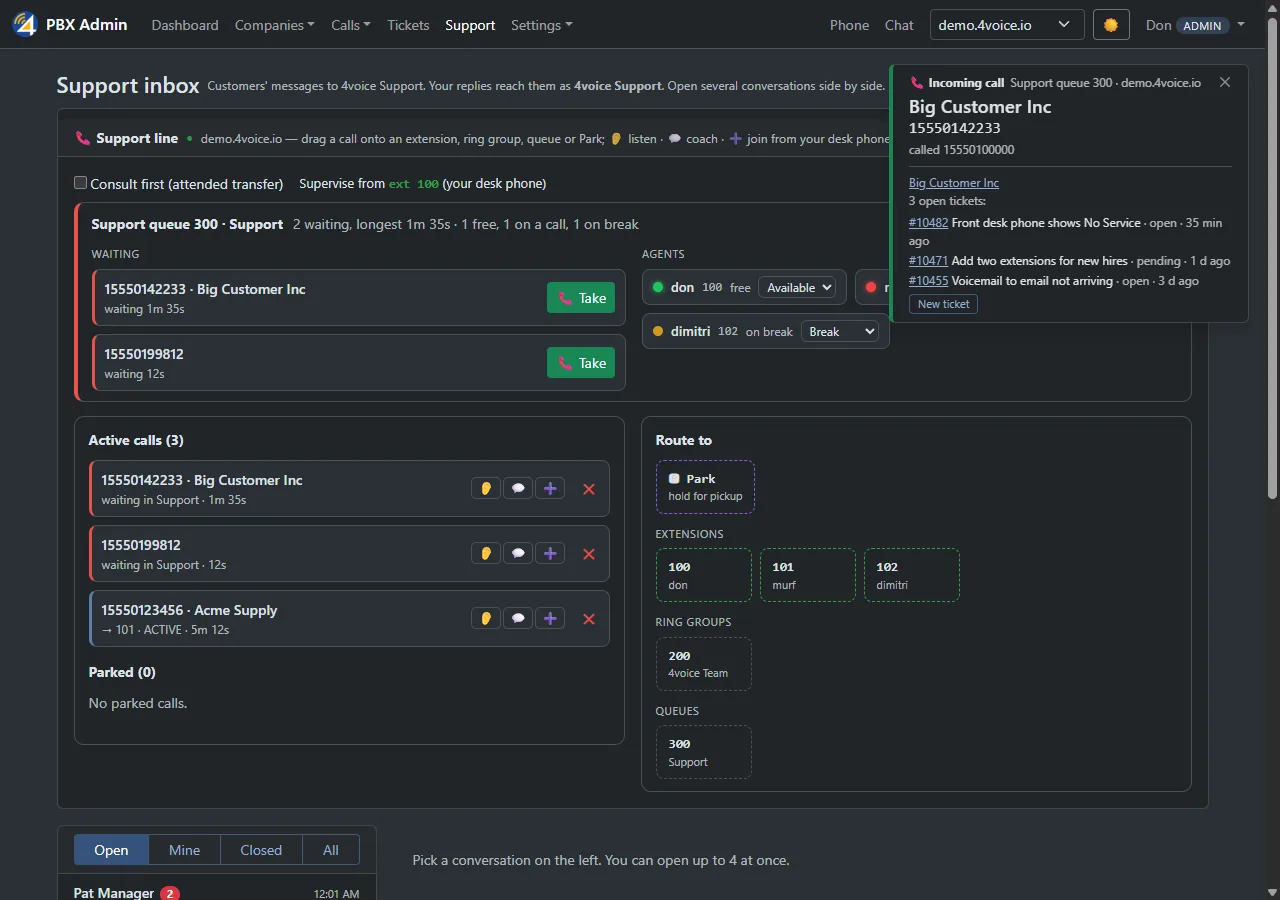
The portal pops the caller's name, number and the line they dialed a second before the phone rings, on extensions, ring groups and queues.
Available, on break or logged out from the portal, the browser phone, the app, or any phone. An agent who misses too many offered calls goes on break, so callers never ring an empty desk.
*50Available*51On break*52Log outHears the agent
Talking with the agent.
Hears the caller
Talking with the caller.
Hears the caller and the agent
Listening in. Nobody on the call hears you.
Listen: hear a live call as it happens, to coach afterwards.
Supervisors step into any live call from the switchboard. Listen in to coach later, whisper to guide the agent mid-call, or barge in and join the conversation.
The switchboard shows who is talking to whom, so a supervisor can step in the moment a call needs help.
Whisper so only the agent hears you. The caller carries on with their agent as if nothing happened.
Barge in to take part in the call. Everyone on it hears everyone.
Real screens from the product, with example data. Press any picture to see it full size.
Waiting callers, longest wait, service level and every agent's state, in big type on the TV on the wall.

The Queues page shows each pending callback with a Cancel button, and the day's outcomes. Each caller keeps their place in line.
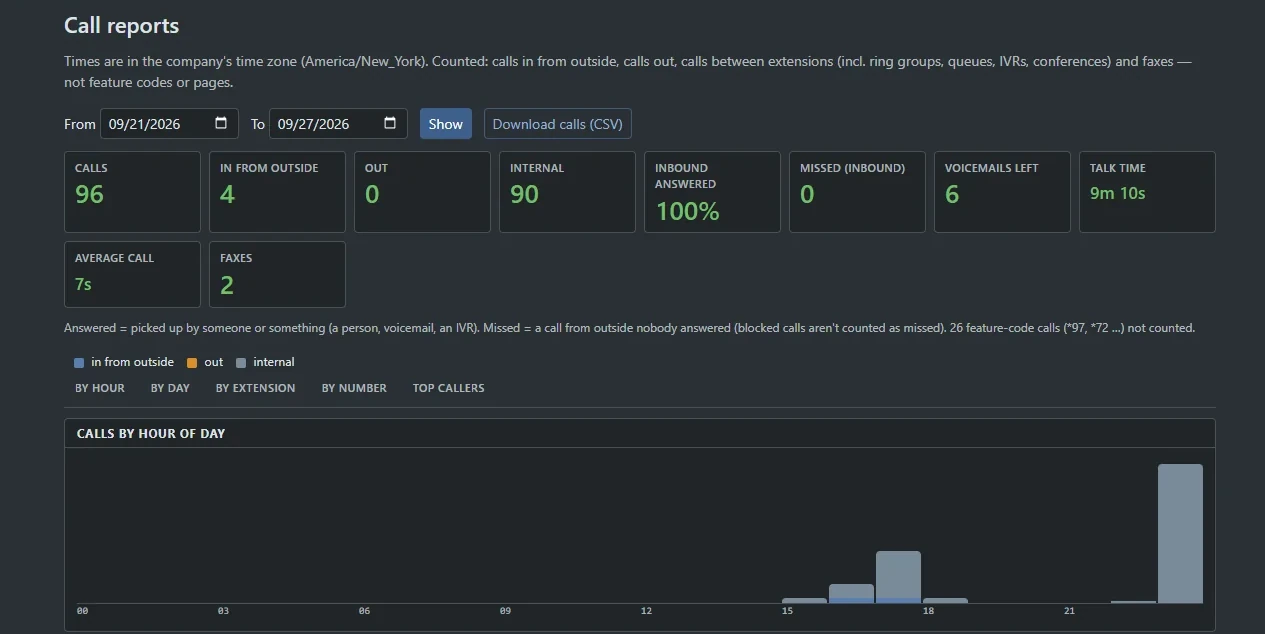
Service level, abandon rate, waits and talk time per queue and per agent. Arrivals by hour, totals by day. Any date range, in your own time zone, with a CSV of the lot.
Switch whisper on, write the line the agent hears and choose the wrap-up codes. Every queue can have its own.
Standard features and add-ons you can switch on per company. Each one links to its entry in the full catalog.
Tell us how your queues run today. We will show you ProjectPBX running them, wallboard on the wall.